- Windows 2000 or earlier - A single network adapter - Multiple IP's given by your's network provider
Installing the supporting driver:
In order to work TCP/IP Selector you need to install the acompaning driver tcpipsel.sys. This is a kernel driver that is doing all the hard work. To install the driver you must do the following steps:
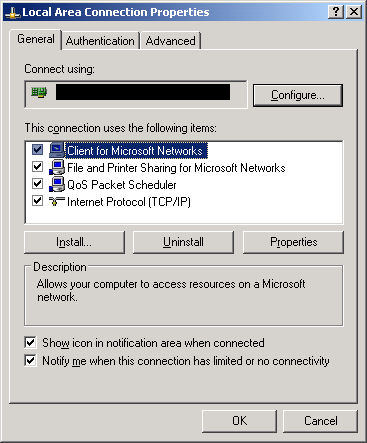
Open the panel related to you network connections
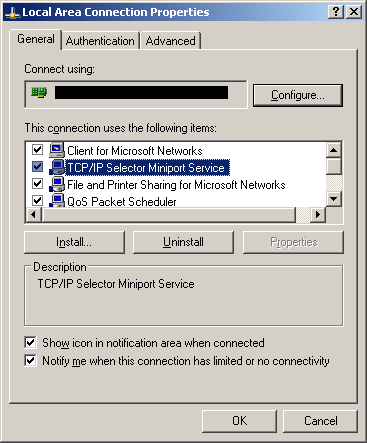
Do a right click on you network connection and select 'Properties
Now do a click on 'Install...' button
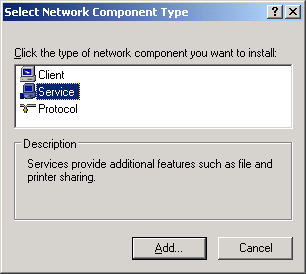
Select on the 'type of network component' the 'Service' category and press the 'Add...' button
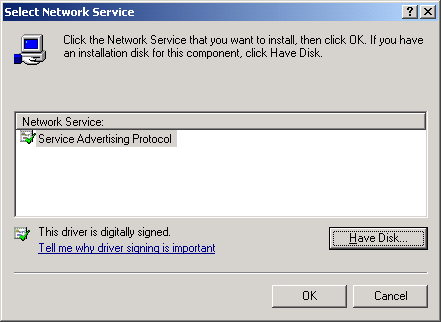
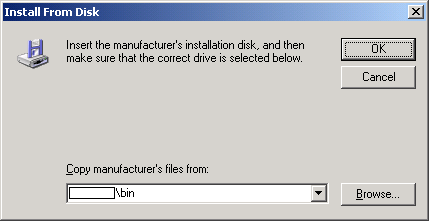
Now click on the 'Have Disk...'
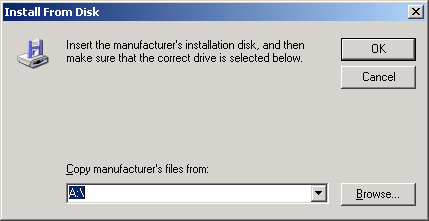
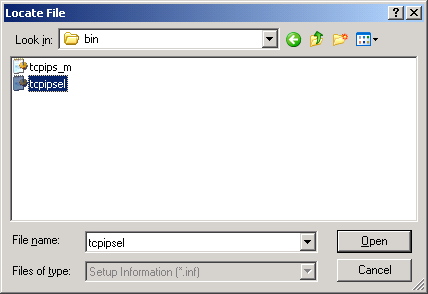
Click on the 'Browse...' and go where TCP/IP Selector is installed, for example 'Program files/TCPIP Selector'
Select from directory 'tcpipsel.inf' an press 'Open'
Now press 'Ok'
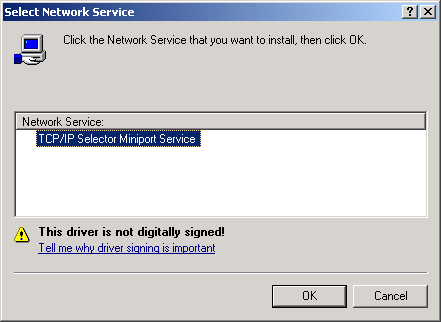
Select 'TCP/IP Selector' and press 'Ok'
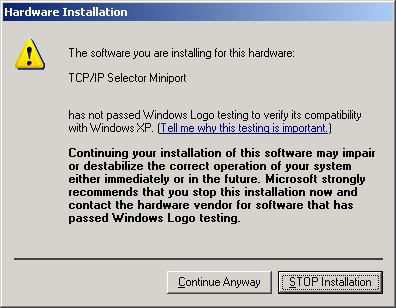
Press 'Yes' if the system ask about alowing instalation of an unsigned driver
Press 'Ok' on network properties panel and close your network connections panel
Now the driver is ready to work, ocasionaly you may need to reboot your machine.